
After every hand, Hold’em Coach shows a Coach Debrief: the board, the payouts, and the coach’s line on each street next to yours. Since version 1.5, Coach+ subscribers get a second tab there: Ask Coach.
Updated October 5, 2026 with the current daily message limit and a note on how your questions are processed. For what changed in each version, see the release notes.
What is Ask Coach?
Think of it as a follow-up conversation about the hand you just played. Type a question like “What were the dealer outs?”, “Was my river bet too thin?” or “Why Bet 4× here?” and the coach answers with the actual cards, the board and the coaching profile you were playing under.
The hand summary stays pinned at the top (your cards, the board, the dealer’s hand and how each side finished) so you always know which hand the conversation is about.
Ask Coach is built only for Ultimate Texas Hold’em: the hand on screen, the board, dealer outs, bet sizing and the three coaching profiles. It isn’t a general chatbot, so off-topic requests like poems, code or homework are turned away.
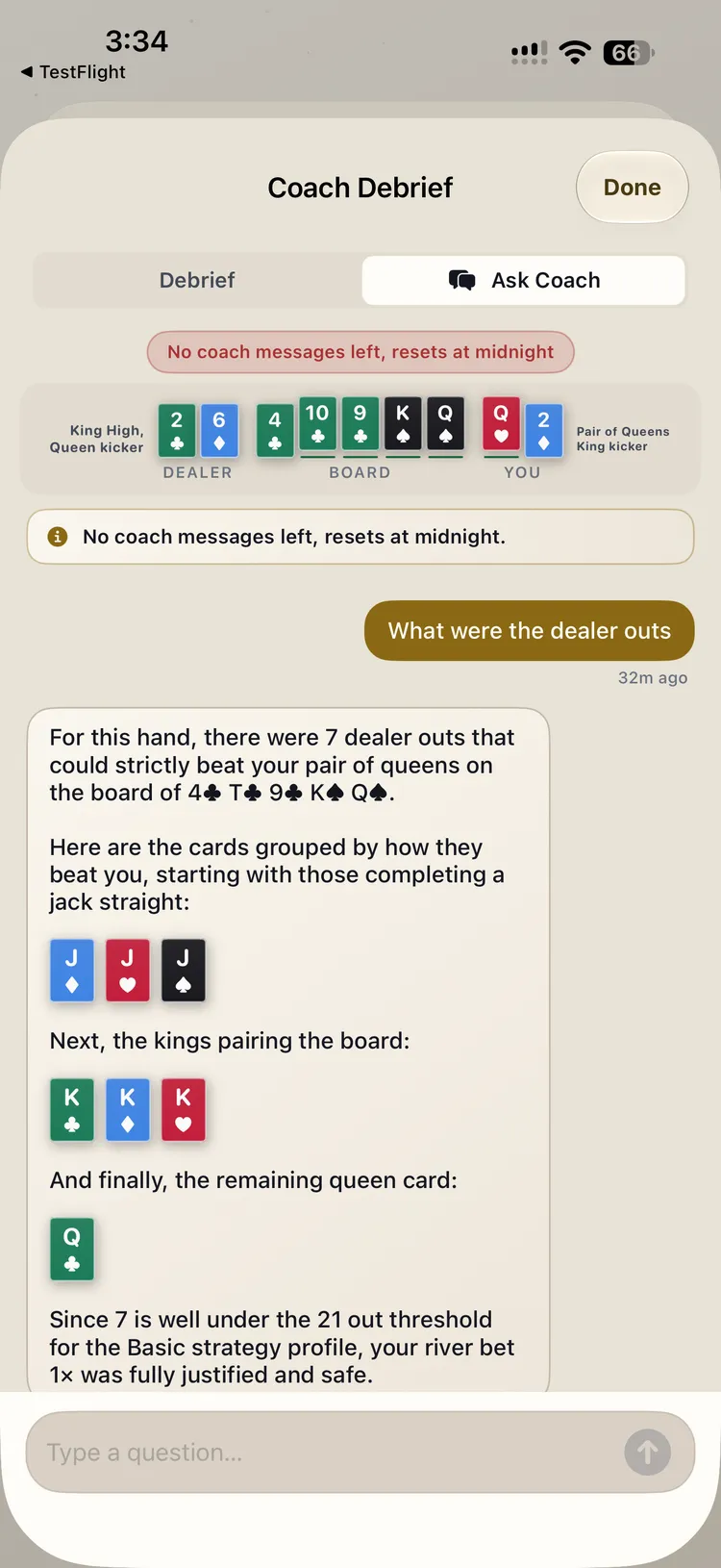 Ask Coach explains a river decision: 7 dealer outs, well under the Basic profile’s 21-out line, so the 1× bet was justified.
How to use it
- Finish a hand at the table.
- Open the Coach Debrief.
- Tap the Ask Coach tab.
- Type a question, or tap a suggested prompt such as “What would Balanced do here?”
You can also open Ask Coach on older hands from your history in Coach Report.
Answers can get specific: dealer outs grouped by card, whether a river bet was justified under your profile, or how the same hand would play under Basic, Balanced or Disciplined.
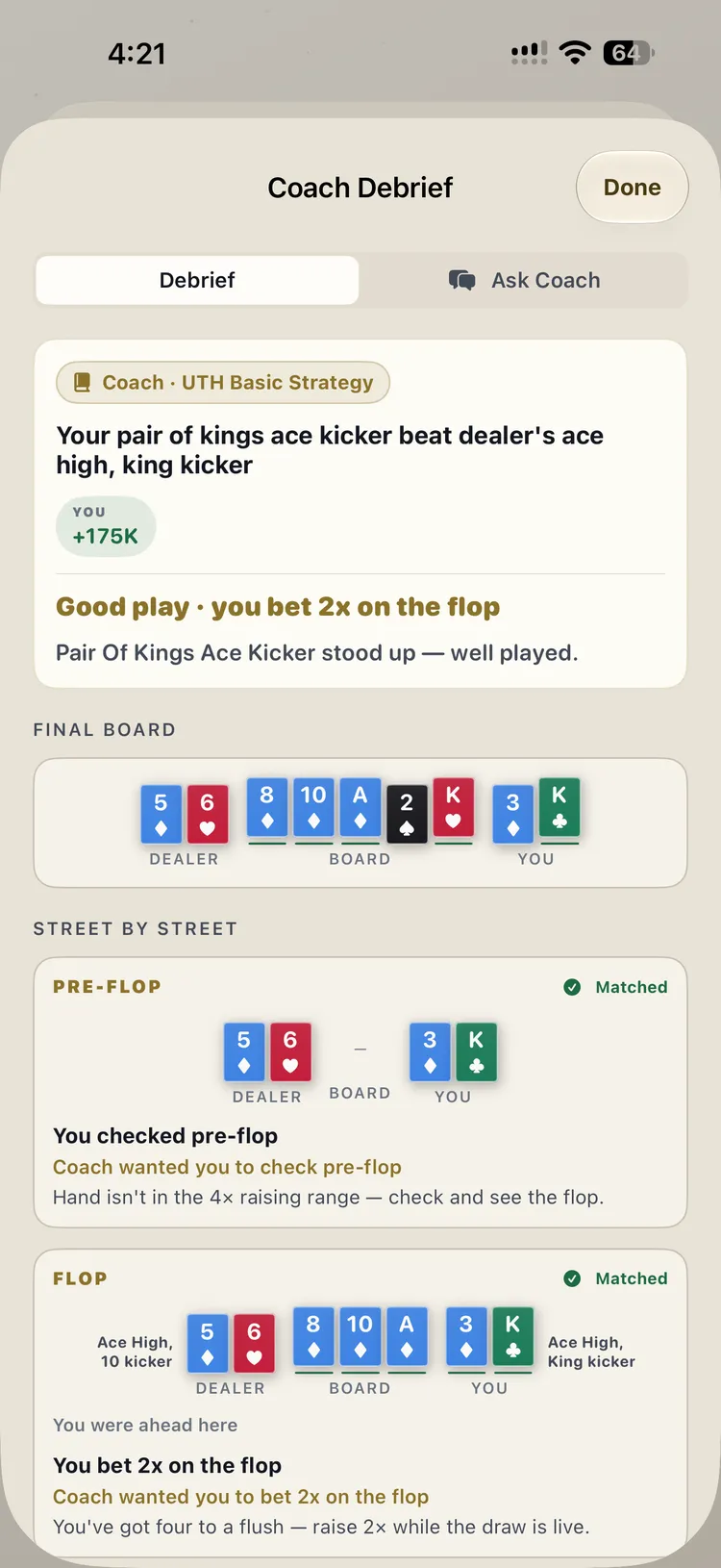 The Debrief tab comes first, with notes for each street. Switch to Ask Coach when you want to dig deeper.
The daily limit
Ask Coach currently allows 10 messages a day. The count resets at local midnight. When you’re out, the Debrief tells you so; come back the next day. The limit doesn’t change with chip packs or other purchases, so save your messages for the hands that genuinely confuse you.
How answers are generated, and your data
Ask Coach replies are written by Google’s Gemini model, which the app reaches through Firebase AI Logic. When you send a message, the app sends the details of that hand (the cards, the board, each street’s action next to the coach’s recommendation, the dealer outs), your leaderboard display name, a short summary of your play such as hands played and how often you follow the coach, the conversation so far, and your question.
Your conversations are saved with that hand in your history on your device. On iPhone, hand history syncs to your private iCloud, so the threads do too. The Hold’em Coach privacy policy has the full details.
A note on accuracy: Ask Coach explains decisions in plain language, but it’s an AI model and can make mistakes. The recommended action shown in the Debrief is the coach’s actual decision for that hand; if a chat answer ever seems to disagree with it, trust the Debrief.
Coach+ only
Ask Coach is part of an active Coach+ subscription, on iPhone and Android. New subscribers can try Coach+ free for 7 days. Free players still get live coaching on every street, the full Coach Debrief, Coach Academy, Coach Report and Today’s Leaderboard.
What it doesn’t change
- Live coaching, Coach Academy, Coach Debrief and Coach Report stay free.
- The coach’s recommendations are the same with or without Coach+.
- Virtual chips only. No real-money gambling.